

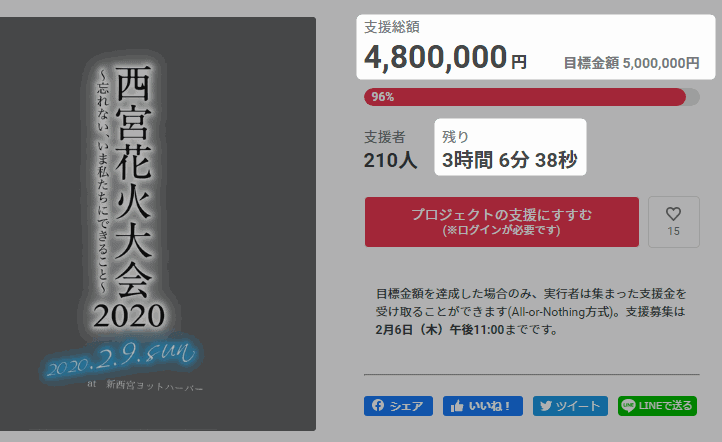

The Nishinomiya Fireworks Festival crowdfunding campaign was almost in a situation where it would fall short of its goal and have to refund all contributions.
(Latest update) It’s no longer in trouble! Thanks to everyone, it looks like the goal amount has been reached! Thank you so much for taking an interest in this article!!
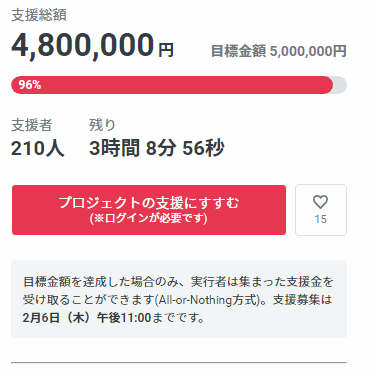
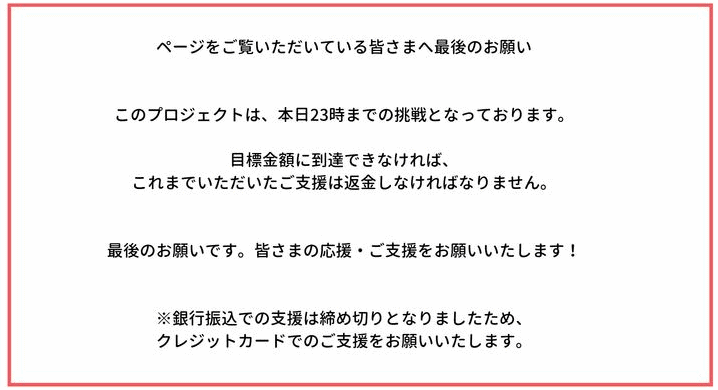
As of 7:50 p.m., the campaign was still short by 200,000 yen.
Support by bank transfer has ended, and it seems that only credit card contributions are currently accepted.
Click here for the crowdfunding page
How to Support the Crowdfunding Campaign
We at Nishi2 just tried supporting the crowdfunding campaign ourselves!
We would be very happy if you could support it too!!
If you’re thinking, “The process seems complicated…”, we’ll explain how to do it, so please use this as a reference.
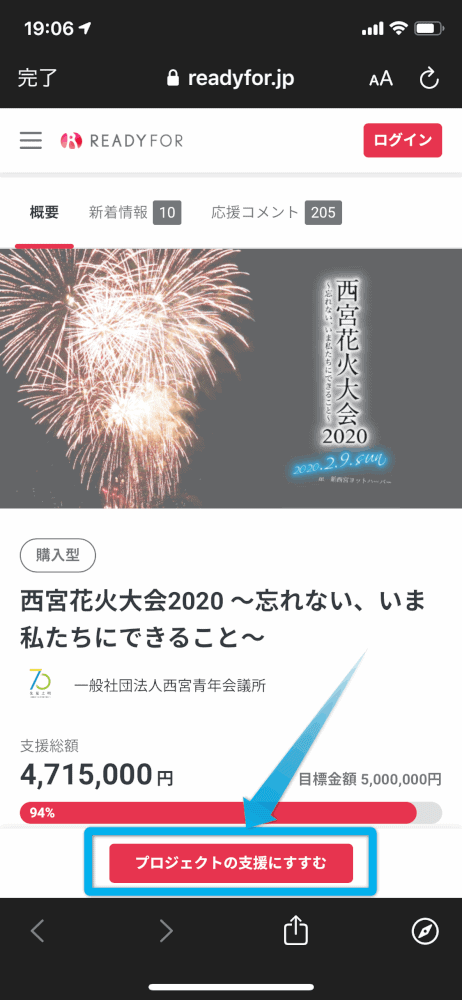
Tap “プロジェクトの支援にすすむ” at the bottom of the screen
Choose a return item (select the amount)
These are the available courses↓
- 2,000円(ticket)
- 3,000円(ticket)
- 5,000円(ticket or no ticket)
- 6,000円(ticket)
- 10,000円(ticket + supporter name listing, or no ticket)
- 11,000円(ticket + supporter name listing)
- 30,000円~100,000円(supporter name listing)
- 30,000円~1,000,000円(sponsorship course)
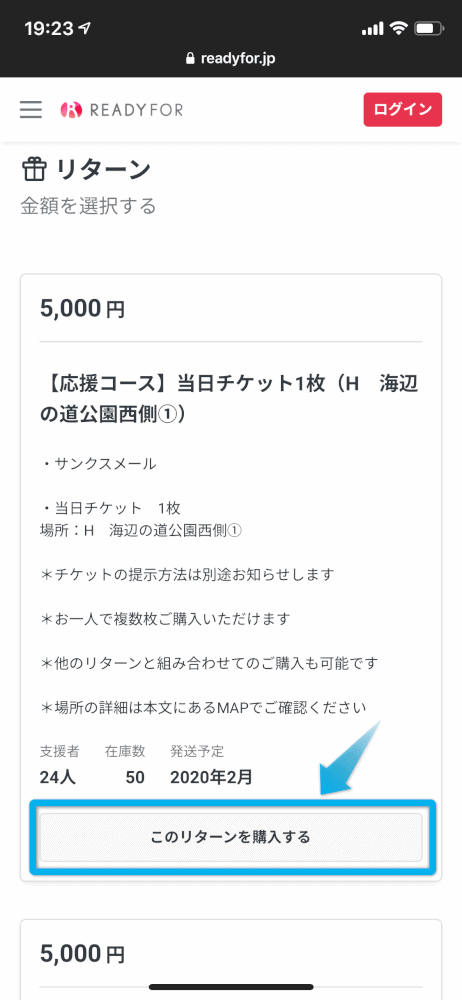
Once you’ve chosen a course, tap “このリターンを購入する”.
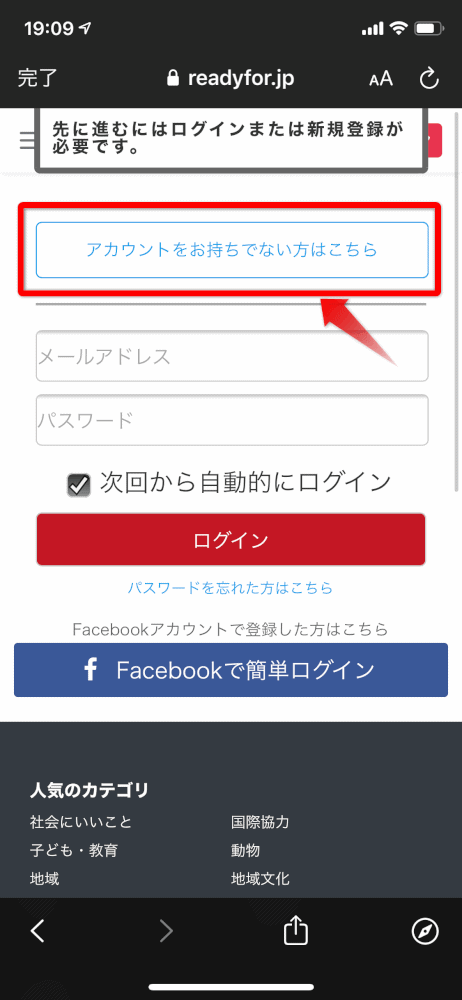
If you don’t have an account, tap “アカウントをお持ちでない方は”
If you don’t have a READYFOR account, tap “アカウントをお持ちでない方は”.
If you already have an account, please log in.
Enter your nickname, email address, and password
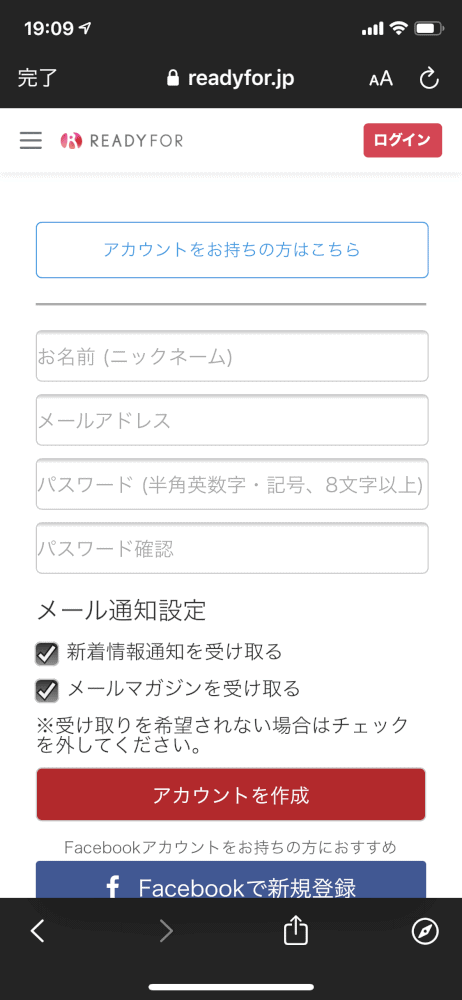
It’s okay to uncheck the boxes for news updates and email newsletters.
After entering your information, tap アカウントを作成.
Then↓
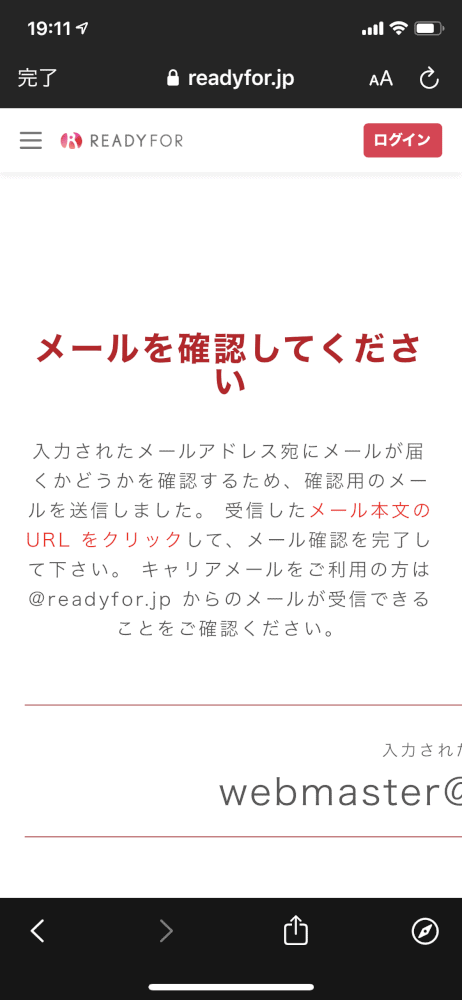
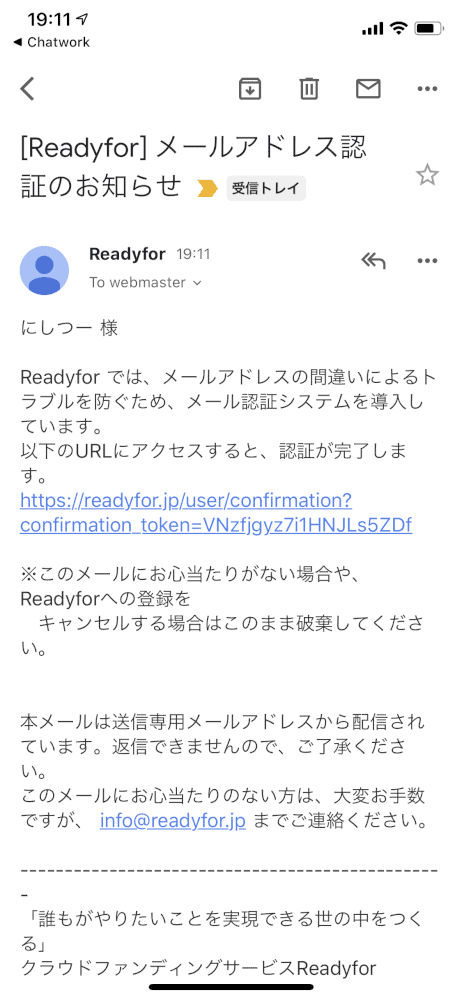
You’ll receive an email, so tap the URL in the email
You’ll be taken to the crowdfunding top page, but if you scroll down
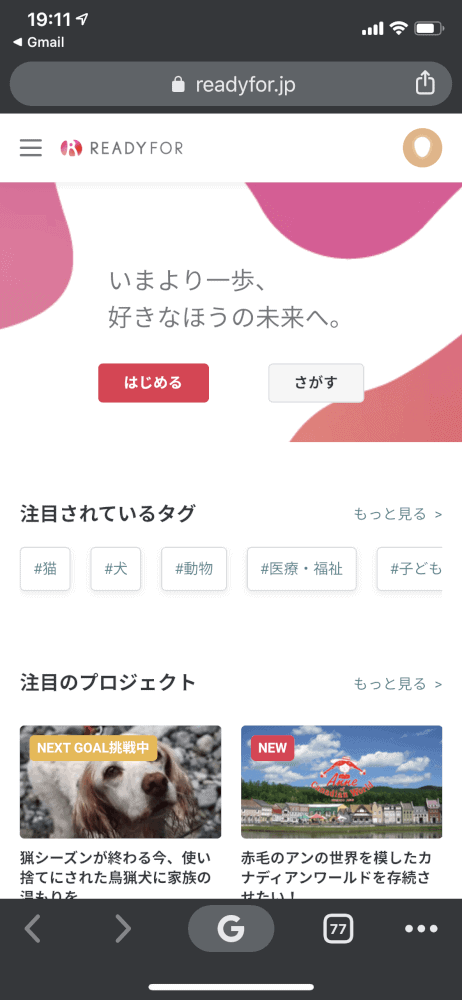
When you scroll down↓
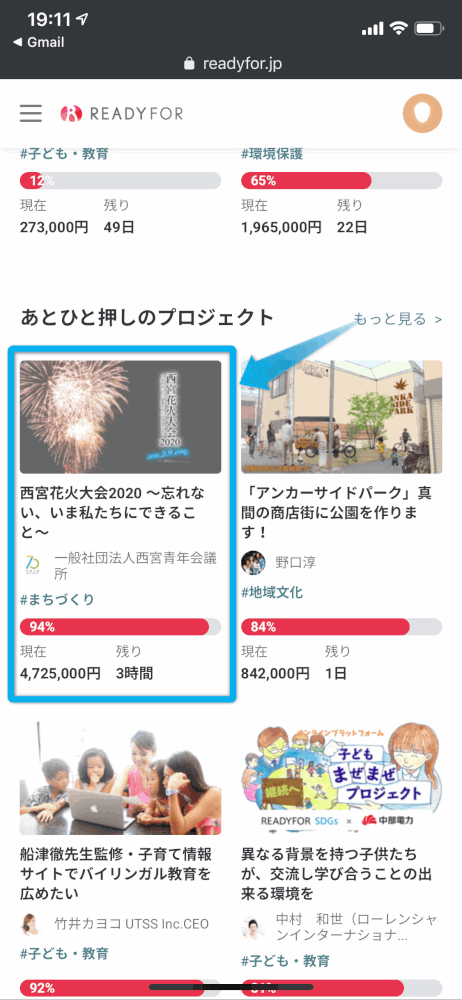
You’ll find the Nishinomiya Fireworks page, so tap it.
If you don’t see it, click here to go there.
Tap “このリターンを購入する” for the return item you chose earlier
Check the details, select the quantity, tap credit card, then tap next
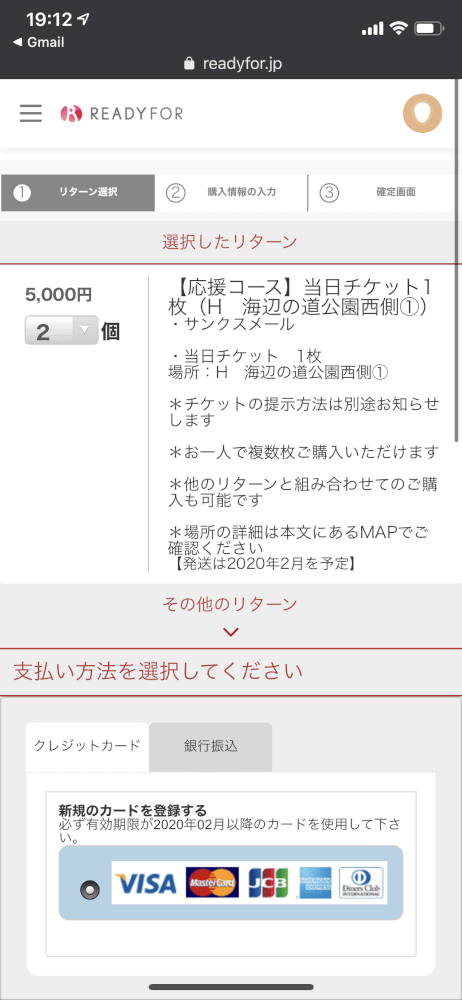
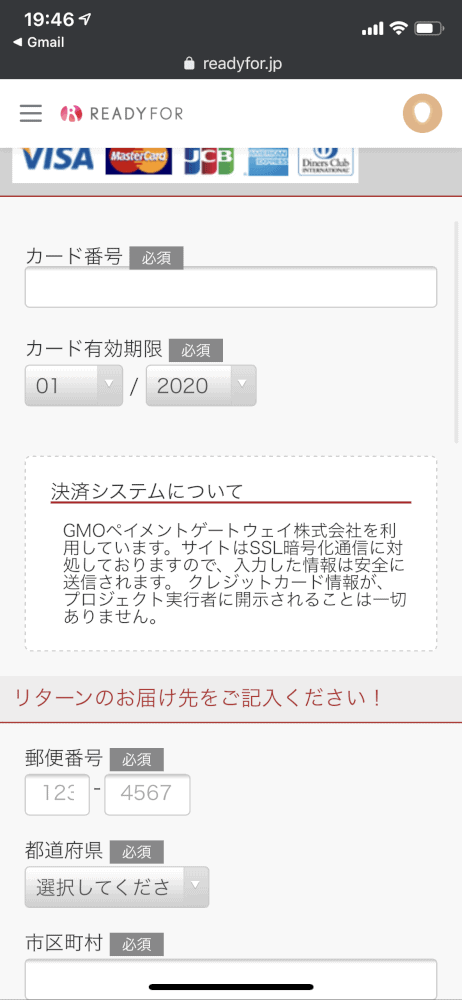
Enter your card number, address, and name, then tap next
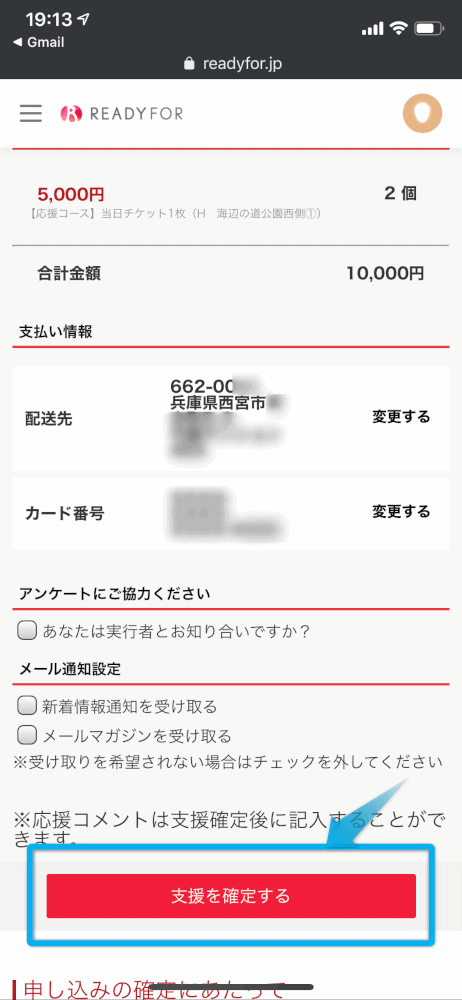
Check the details and tap “支援を確定する” to finish~~~
If this screen appears, you’re all set! Thank you for your support!

We would truly appreciate your support in any way possible!!